

Description
Reseller Manager Module for WHMCS
Overview
The Reseller Manager module transforms standard WHMCS clients into independent Resellers.
These Resellers can then create their own sub-clients, manage pricing, and operate under their
own white-label branding, all from a dedicated Reseller Dashboard within your WHMCS Client Area.
Features
1. Reseller Dashboard
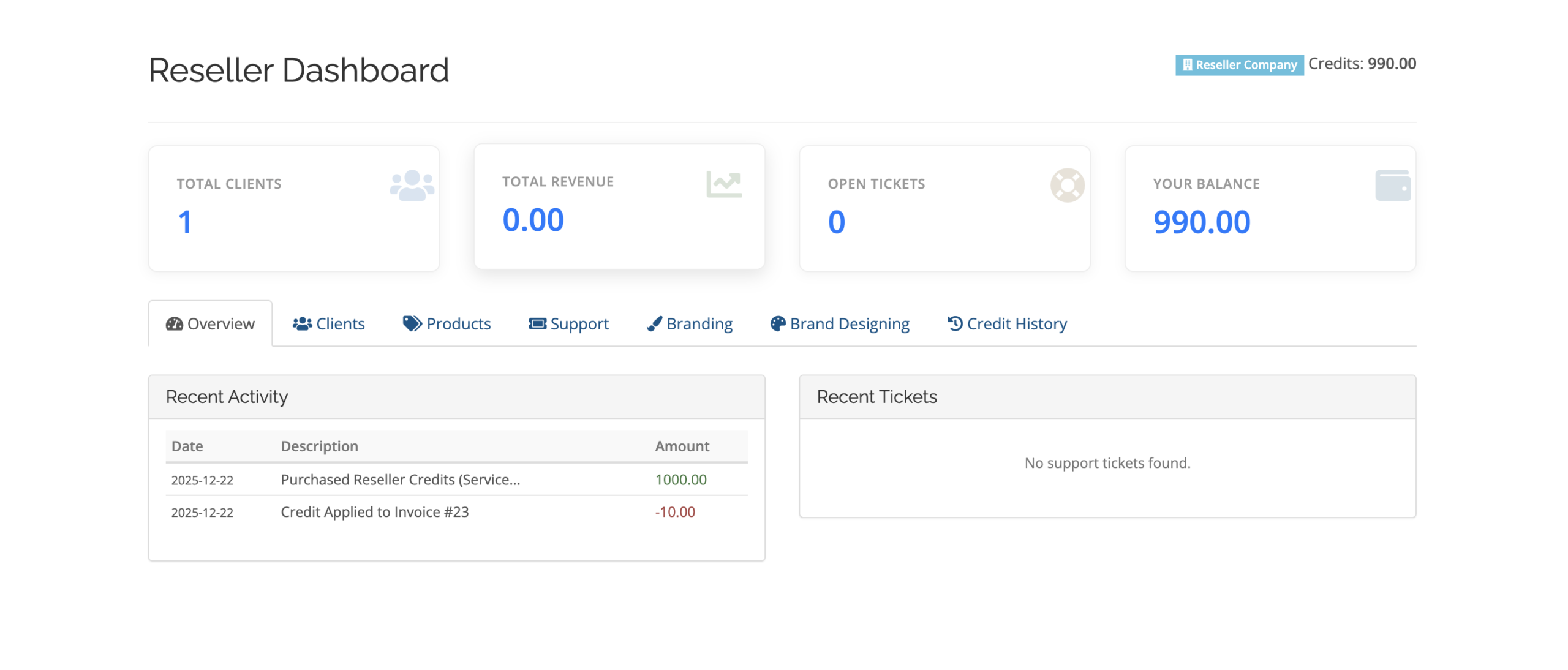
A comprehensive, modern dashboard for Resellers to oversee their business.
- Key Metrics: View total clients, revenue, open support tickets, and current credit balance.
- Recent Activity: Track recent provisioning and financial transactions.
2. Branding (White Label)
Resellers can fully customize their identity.
- Company Name: Overrides the system’s company name in emails and invoices sent to their sub-clients.
- Logo: Define a custom logo URL to appear on dashboard and emails.
- SMTP Settings: Resellers can configure their own SMTP server (Host, User, Pass, Port). This ensures emails are sent from their own domain.
3. Client Management
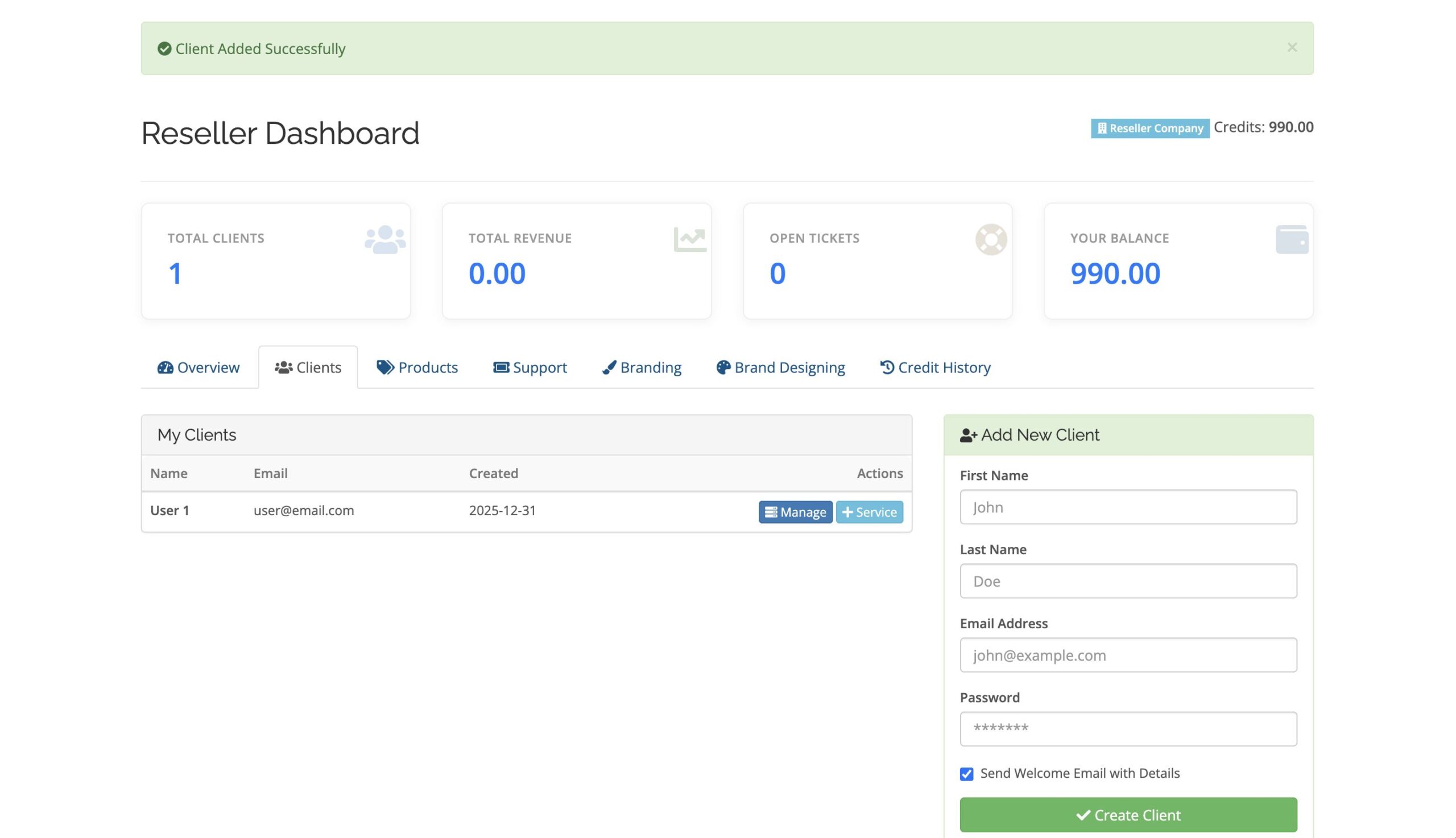
- Add Client: Create new customer accounts directly from the reseller dashboard.
- List Clients: View all sub-clients with status and creation date.
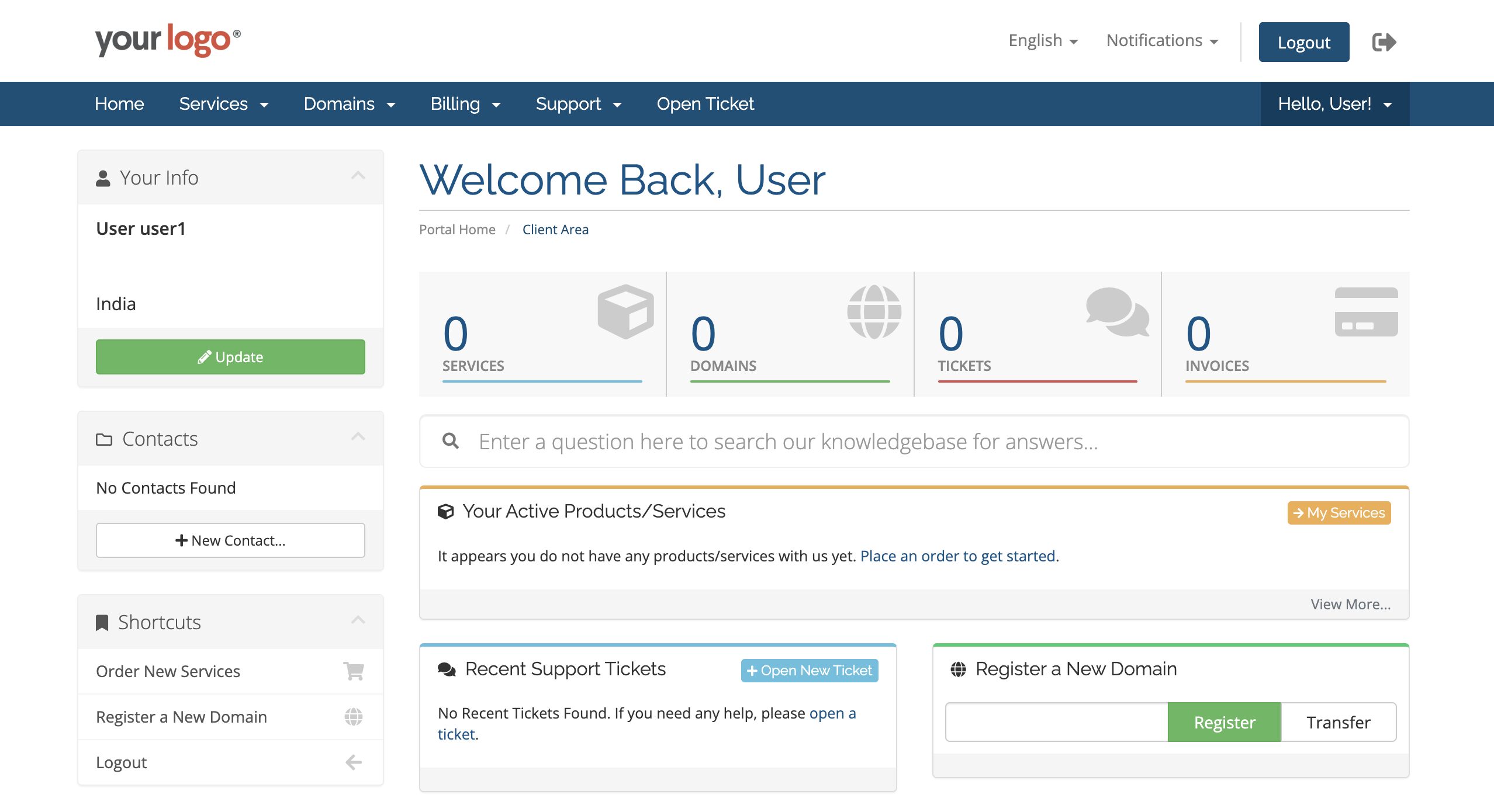
- Login As Client: One-click login as sub-client (SSO) for support or management.
4. Product Management & Pricing
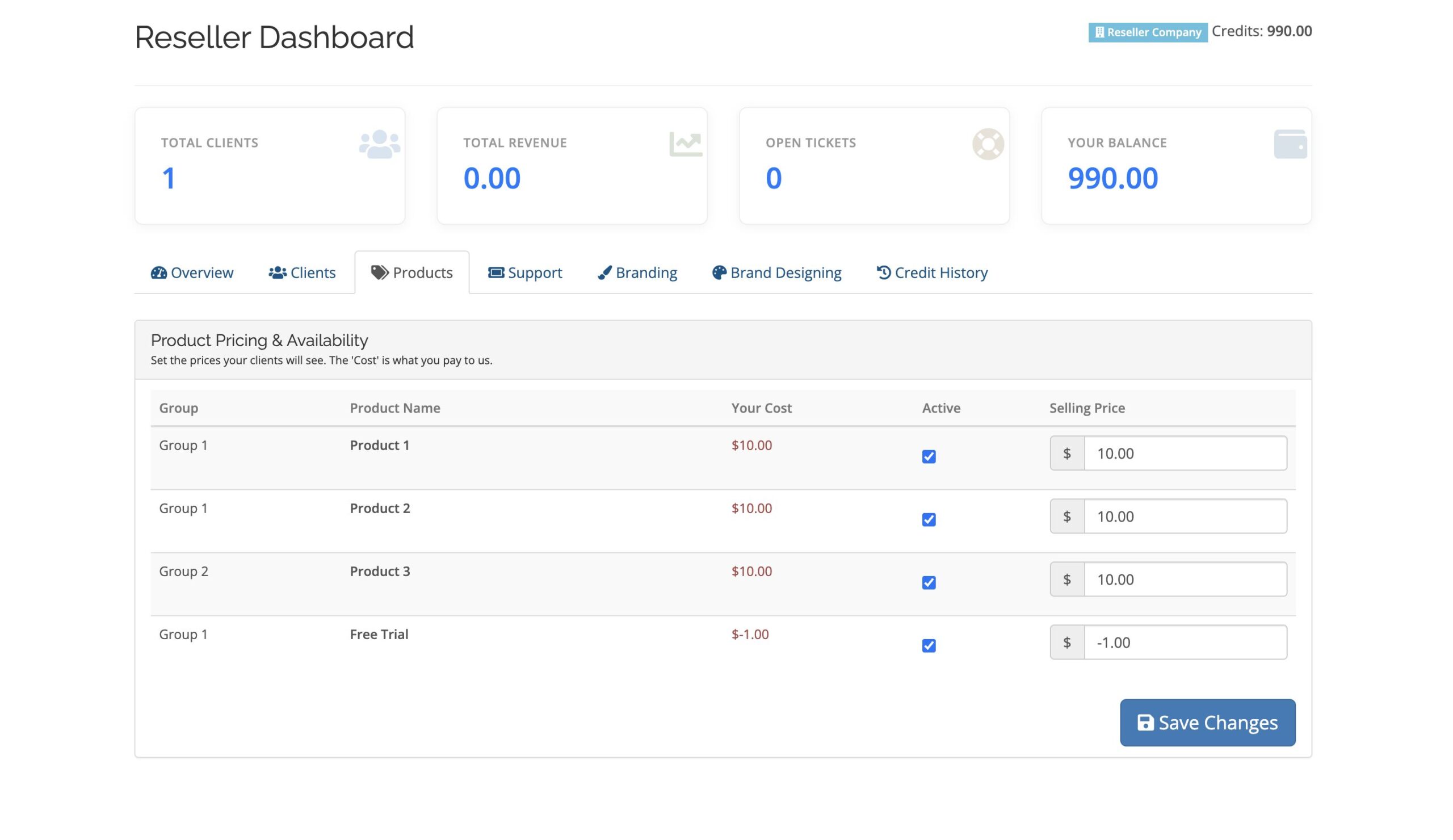
- Product Mapping: Choose which admin products to resell.
- Custom Pricing: Set independent selling prices.
- Hidden Cost: Wholesale cost visible only to the reseller.
- Profit Tracking: Automatic profit calculation.
5. Provisioning & Billing
- Immediate Provisioning: Instantly provision services.
- Credit Logic: Wholesale cost deducted from reseller credit balance.
- Automated Invoicing: Sub-clients receive invoices at reseller selling price.
6. Support System
- Ticket Monitoring: View sub-client support tickets.
7. Admin Management
- Reseller List: View all active resellers.
- Reseller Details:
- Credit Balance
- Sub-Client Statistics
- Branding Control
- Sub-Clients List
8. Selling Reseller Plans (Provisioning Module)
You can automate the sale of Reseller Accounts using the included Reseller Credits & Access server module.
- Create a Product under Setup > Products/Services.
- Module Settings:
- Module Name: Reseller Credits & Access
- Credit Amount: Initial WHMCS credit
- Reseller Group Name: Reseller
- Set product pricing.
- Enable automatic setup on payment.
Outcome: Upon purchase, the client becomes a reseller and receives instant credit.



Reviews
There are no reviews yet.